
Guide · Published
PCIe Gen 5 & Gen 6 SSD Buyer's Guide
Compare Micron 7600, 9550, and 9650 SSD performance, form factors, and workload fit, with product selection and qualification support from Edge Electronics.
On this page
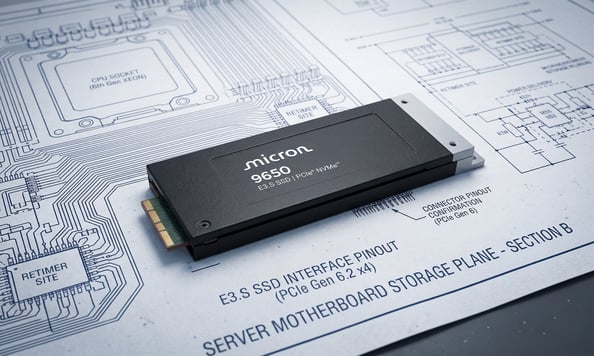
PCIe generation sets the interface bandwidth available to your storage design. Moving from Gen 4 to Gen 5 roughly doubles it; Gen 6 doubles it again. Micron reports that the 9650 is the first PCIe Gen 6 SSD to reach mass production.
This guide compares three Micron NVMe SSDs across Gen 5 and Gen 6: the Micron 9550 SSD (Gen 5 performance), the Micron 7600 (Gen 5 mainstream), and the Micron 9650 (Gen 6). For each drive, we cover specifications, workload fit, and the design and procurement considerations that matter for OEM and contract manufacturing programs.
We are an authorized Micron distributor. Our field application engineer (FAE) can help you compare candidates, arrange samples, and work through technical questions with Micron. Your team qualifies the selected product in its application.
The PCIe Generation Landscape
What Changes Between PCIe Generations
These NVMe SSDs use a four-lane PCIe connection, written as x4. Each generation roughly doubles the interface bandwidth. Key differences include:
| PCIe Generation | Approx. bandwidth per lane, one direction | Approx. x4 bandwidth, one direction |
|---|---|---|
| Gen 4 (PCIe 4.0) | 2 GB/s | ~8 GB/s |
| Gen 5 (PCIe 5.0) | 4 GB/s | ~16 GB/s |
| Gen 6 (PCIe 6.0) | 8 GB/s | ~32 GB/s |
These rounded interface figures are not measured SSD throughput. Actual throughput depends on protocol overhead, controller, NAND, firmware, workload, and power settings. PCI-SIG’s PCIe 6.0 overview explains the bandwidth increase and backward compatibility.
PCIe Backward Compatibility: What Engineers Need to Know
PCIe supports backward compatibility across these generations. A link negotiates a speed supported by both ends, but the drive must also match the connector, backplane, firmware, power, and cooling requirements. A future host change still requires checking the selected drive in that system.
Key implications for OEM design engineers:
- Confirm the PCIe speed supported along the SSD’s actual connection, including any switches or retimers. Manufacturer partnerships do not establish compatibility with every CPU or server from those companies.
- For a direct replacement, the form factor must match the drive bay and connector. A migration to E3.S, E1.S, or U.2 may require a different carrier, backplane, or chassis. We can help compare those options for a redesign.
- Signal integrity becomes a first-order concern at Gen 6 speeds. Trace length, retimers, and connector quality all require attention.
Micron PCIe Gen 5 and Gen 6 SSDs: Drive-by-Drive Breakdown
Micron’s current NVMe SSD portfolio covers all three active interface generations. Here is how each drive fits into an engineering evaluation:
Micron 9650: PCIe Gen 6 – The First PCIe Gen 6 SSD in Production
| 9650 at a glance | Specification |
|---|---|
| Interface | PCIe Gen 6.2 x4, NVMe 2.0 |
| Sequential read / write, up to | 28,000 / 14,000 MB/s |
| Random read / write, up to | 5.5 million / 900,000 IOPS |
| NAND | Micron G9 TLC |
| Form factors | E1.S 9.5mm; E3.S 1T |
| Capacities | PRO: 7.68, 15.36, 30.72TB; MAX: 6.4, 12.8, 25.6TB |
| Cooling | Liquid-cooling support on E1.S 9.5mm; confirm the selected system’s cooling configuration |
The Micron 9650 specifications describe a performance-focused drive for AI and data center workloads. Capacity, form factor, and PRO or MAX configuration must be selected together; every capacity is not available in every form factor.
Check the exact host, backplane, firmware, and PCIe connection with the manufacturers. Micron has published a Gen 6 server demonstration using the 9650 and specified switching hardware. A demonstrated configuration does not establish compatibility with other systems. For Gen 5 storage connections, compare the 9550 and 7600 against the workload.
Micron 9550: PCIe Gen 5 Performance
| 9550 at a glance | Specification |
|---|---|
| Interface | PCIe Gen 5 x4, NVMe 2.0b |
| Sequential read / write, up to | 14,000 / 10,000 MB/s |
| Random read / write, up to | 3.3 million / 720,000 IOPS |
| NAND | Micron G8 232-layer TLC |
| Form factors | U.2; E1.S 15mm; E3.S |
| Capacities | 3.2TB to 30.72TB across PRO and MAX configurations |
| Endurance | PRO: 1 DWPD; MAX: 3 DWPD |
The 9550 is the performance-focused Gen 5 drive in this lineup. It is worth evaluating when a compatible Gen 5 system needs high throughput. Its available capacities and endurance options differ by form factor. Review the 9550 technical specification for the selected configuration.
Micron 7600 PCIe Gen 5 Mainstream
| 7600 at a glance | Specification |
|---|---|
| Interface | PCIe Gen 5 x4, NVMe 2.0d |
| Sequential read / write, up to | 12,000 / 7,000 MB/s |
| Random read / write, up to | 2.1 million / 675,000 IOPS |
| NAND | Micron G9 TLC |
| Form factors | U.2 15mm; E1.S 9.5mm or 15mm; E3.S 1T; no M.2 option |
| Capacities | PRO: 1.92TB to 15.36TB; MAX: 1.6TB to 12.8TB |
| Endurance | PRO: 1 DWPD; MAX: 3 DWPD |
| Management | OCP 2.5; NVMe power-management settings |
The 7600 is a mainstream data center SSD to evaluate for databases, online transaction processing (OLTP), and mixed workloads where latency consistency and power use matter. Compare measured workload results as well as peak throughput. Its technical specification lists power consumption by capacity and workload, with power limiting configured through NVMe power management.
Micron 9550 vs 9650 vs 7600: Performance and Specs Compared
Performance Summary
| Metric | Micron 7600 (Gen 5) | Micron 9550 (Gen 5) | Micron 9650 (Gen 6) |
|---|---|---|---|
| Seq. Read (max, 128KB) | 12,000 MB/s | 14,000 MB/s | 28,000 MB/s |
| Seq. Write (max, 128KB) | 7,000 MB/s | 10,000 MB/s | 14,000 MB/s |
| Random Read (max, 4KB) | 2.1M IOPS | 3.3M IOPS | 5.5M IOPS |
| Random Write (max, 4KB) | 675K IOPS | 720K IOPS | 900K IOPS |
| NAND Technology | G9 (9th Gen TLC) | G8 (232L TLC) | G9 (9th Gen TLC) |
| PCIe Interface | Gen 5 x4 | Gen 5 x4 | Gen 6.2 x4 |
| Liquid Cooling | No | No | E1.S option |
| Key Strength | QoS / latency | Peak AI throughput | Maximum bandwidth |
These are maximum figures across each family, not results for every capacity or a single comparative system test. Micron’s 7600, 9550, and 9650 specifications give the capacity-specific results and test conditions. Power, queue depth, firmware, and workload affect measured performance.
For the 7600, the 3.84TB, 7.68TB, and 15.36TB PRO configurations reach up to 2.1M random-read IOPS. The 7.68TB and 15.36TB PRO configurations reach up to 7,000 MB/s sequential write and 400K random-write IOPS. The 6.4TB and 12.8TB MAX configurations reach up to 7,000 MB/s sequential write and 675K random-write IOPS. These measurements use NVMe power state 0, 128KB sequential transfers at queue depth 32, and 4KB random transfers at queue depth 512.
Form Factor Reference
First decide whether the existing drive bay and connection must stay. A different form factor may be a useful migration option if those requirements are flexible. Compare the required system changes alongside the drive’s workload and supply requirements.
| Form Factor | Available In | What to check |
|---|---|---|
| U.2 (2.5-inch, 15mm) | 9550, 7600 | Backplane support, drive carrier, power, and cooling |
| E1.S (9.5mm) | 9650, 7600 | Chassis clearance and cooling; liquid-cooling support applies to selected 9650 configurations |
| E1.S (15mm) | 9550, 7600 | Exact capacity and PRO/MAX availability; 15mm enclosure clearance |
| E3.S 1T | 9650, 9550, 7600 | Drive and chassis mechanical drawings, backplane, and cooling |
Use the exact drive’s mechanical drawing for dimensions and tolerances. A shared form-factor name does not establish system qualification.
Which PCIe Gen 5 or Gen 6 SSD Fits Your Workload?
Use this table to identify candidates for evaluation, then check the selected capacity and configuration in your application.
| Primary Requirement | Candidate to evaluate |
|---|---|
| Maximum AI training throughput on Gen 6 platform | Micron 9650 |
| High-performance AI on Gen 5 (NVIDIA ecosystem) | Micron 9550 Max or Pro |
| Latency-consistent OLTP, database, and mixed workloads | Micron 7600 Max |
| Read-intensive cloud and analytics with power efficiency | Micron 7600 Pro |
| Highest capacity among these three families (30.72TB) | Micron 9550 PRO or 9650 PRO, according to platform requirements |
| 3–5 year deployment horizon on Gen 6 infrastructure | Micron 9650 (Gen 6) |
NVMe SSD Procurement: Supply Chain and Compliance Considerations
Plan product selection alongside qualification, production supply, and any security or sourcing requirements.
Production Longevity
For programs that need supply over several years, share the expected demand and production schedule early. We can discuss inventory programs, planned releases, and lifecycle requirements with you and Micron. Availability and any supply commitments depend on the selected product and agreed program terms.
Qualification Support
SSD platform qualification includes I/O compatibility, firmware, thermal behavior, and any applicable security requirements. We help with product recommendations, samples, prototype troubleshooting, and questions that need Micron’s technical input. Your team completes application qualification; we can then help plan stock for production. For more information on SSDs generally, see our guide to selecting the right SSD.
Security and Compliance
Share any applicable FIPS or TAA requirements with the RFQ. We can request the relevant manufacturer documentation and discuss TAA-compliant sourcing on request for the supply being quoted. FIPS-certifiable and FIPS-validated are different statuses; check the required status for the exact configuration. The 9650 includes SPDM 1.2 device authentication, self-encrypting drive options, and a dedicated security processor isolated from the main controller.
OCP Standards
The 9550 supports OCP 2.0 with partial OCP 2.5 telemetry. The 7600 ships with full OCP 2.5 in standard firmware, covering advanced performance and health data logging out of the box.
Not Sure Which Drive Fits Your Program?
Our FAE helps customers compare products and work through design questions with Micron. Tell us about your application, and we’ll recommend options to evaluate.
Request a quote today, and we’ll reach out shortly.